
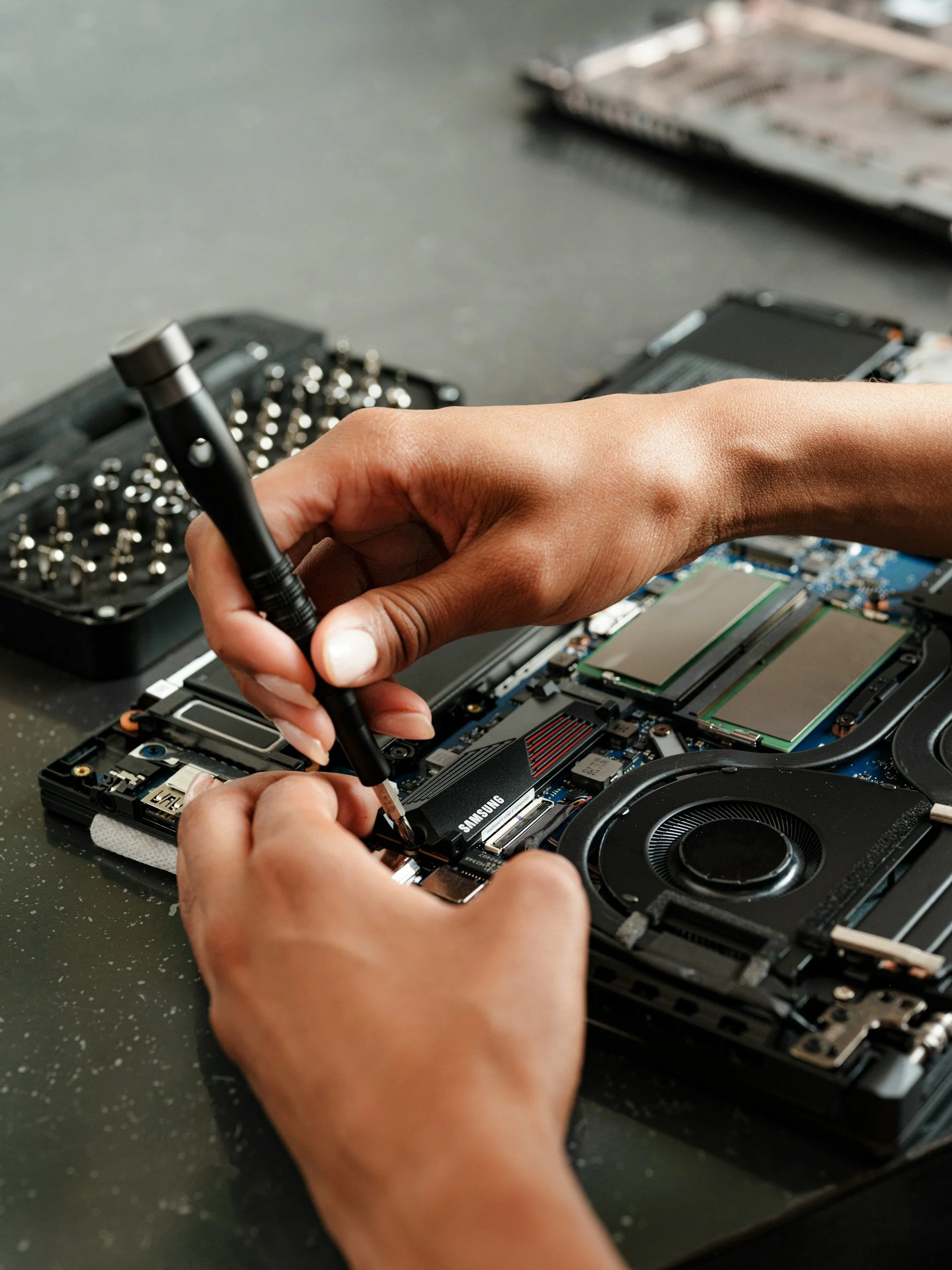
The purchase price is only part of an electronic device’s long-term cost. A phone, laptop, tablet, television, or wearable may become expensive to own if a worn battery, cracked port, or damaged screen cannot be replaced at a reasonable price.
Repairability depends on more than whether a device can be opened. Parts must be available, repair instructions must exist, software must support replacement components, and a qualified repair provider must be willing to perform the work.
Identify the Parts Most Likely to Need Service
Different devices have different failure points. Before comparing models, identify the components that are likely to wear out or become damaged.
For a phone or tablet, check:
Battery
Screen
Charging port
Cameras
Buttons
Speakers
Back glass
For a laptop, check:
Battery
Keyboard
Display
Charging port
Storage
Memory
Cooling fan
Hinges
For other electronics, investigate the parts most exposed to heat, movement, impact, or repeated charging. A device does not need every component to be easily replaceable, but the most failure-prone parts should have a realistic repair path.
Look for a Repairability Score
Some organizations and regulatory systems publish repairability scores. For smartphones and tablets sold in the European Union, the energy label includes a repairability class ranging from A for the most repairable to E for the least repairable.
The EU scoring method considers factors such as:
Disassembly steps
Fasteners
Required tools
Spare-part availability
Software updates
Repair information
Other scores may use different methods. Do not compare numbers from separate scoring systems as if they were identical.
Read the explanation behind the score. A model might rate well because it opens easily while replacement parts remain expensive. Another may require professional tools but offer long-term parts and service support.
Check Whether Parts Are Actually Sold
Search for replacement parts before buying the device. Do not rely only on a promise that it is “repairable.”
Look for:
Official parts store
Authorized distributor
Independent parts suppliers
Prices
Availability in your country
Shipping time
Required tool kits
Whether parts are new, refurbished, or third-party
How long the manufacturer promises to supply them
Compare the cost of the battery, screen, charging port, and other common components with the device’s purchase price.
A replacement screen that costs most of the price of a new device may make a technically repairable product economically impractical to fix.
Confirm Who Can Purchase Parts
Some manufacturers sell parts directly to consumers. Others limit important components to authorized or professional repairers.
Ask:
Can an individual buy the part?
Must a repair shop create a manufacturer account?
Is technician certification required?
Are parts available only as large assemblies?
Must the damaged part be returned?
Is a refundable deposit charged?
Are diagnostic tools included?
A small failed component may be expensive to replace if it is sold only as part of a larger assembly.
Look for Repair Manuals
Search the manufacturer’s support pages for the exact model. Useful documentation may include:
Service manual
Disassembly guide
Diagnostic instructions
Parts diagram
Screw and fastener map
Safety warnings
Calibration procedure
Reassembly checks
A user manual is not the same as a repair manual. Instructions that explain how to restart or clean a device do not show how to replace a failed component.
Independent repair guides can also reveal difficulty, but confirm that they cover the exact model and revision being considered.
Investigate Required Tools and Adhesives
Some electronics can be opened with common precision screwdrivers. Others require heat, suction tools, proprietary fasteners, replacement adhesive, calibration equipment, or specialized safety procedures.
Check whether repair requires:
Proprietary screwdriver bits
Heat to soften adhesive
A display press
Battery-safe removal tools
Replacement seals
Manufacturer software
Component calibration
Soldering
Board-level diagnostic equipment
A repair involving a lithium-ion battery, high-voltage component, or fragile display may be unsuitable for an inexperienced owner even when instructions are available.
Check for Software Pairing
Some replacement components must be paired, calibrated, or activated through software before all features work correctly. Without that process, a repaired device may display warnings or lose functions.
Ask whether replacing a part affects:
Biometric authentication
Camera performance
Battery-health reporting
Display features
Water-resistance status
Charging
Device security
Warranty or service eligibility
Find out whether the necessary software is available to consumers, independent repair shops, or only authorized providers.
Physical compatibility does not guarantee full functionality.
Compare Battery Replacement Options
Battery wear is one of the most predictable reasons a portable device may need service.
Before buying, check:
Whether the battery is replaceable
Battery replacement price
Labor charge
Expected service time
Availability of authorized service nearby
Whether replacement requires erasing the device
Whether water resistance is restored
Battery durability information
How many years replacements are expected to remain available
A sealed battery is not automatically impossible to replace. The important question is whether a safe, affordable, and supported replacement process exists.
Review Software Support
A physically durable device may still become impractical if it stops receiving security updates or can no longer run necessary applications.
Look for a clear manufacturer policy covering:
Operating-system upgrades
Security updates
Start and end dates
Whether the promise applies to the specific model
Whether business or enterprise models receive different support
Firmware support for connected accessories
Pay attention to how the company defines the support period. “Five years of updates” might begin on the product’s original release date rather than the date of purchase.
For an older model still sold as new, part of the promised support period may already have passed.
Check Storage and Memory Upgrades
Some laptops and desktops allow memory and storage to be replaced or expanded. Others permanently attach those components to the main board.
Ask:
Can storage be replaced?
Can memory be upgraded?
Is there an unused expansion slot?
Is the component a standard size?
Will an upgrade affect the warranty?
Can the operating system be reinstalled?
Is data encryption tied to the original hardware?
Buying enough memory and storage at the start may be important when upgrades are impossible. When upgrades are supported, a lower initial configuration may remain useful longer.
Compare Local Repair Options
Search for repair services before the device breaks. Check whether the manufacturer has an authorized provider within a reasonable distance and whether independent shops work on the model.
Call a few shops and ask:
Do you service this model?
Are original or compatible parts available?
What does a battery or screen replacement typically cost?
Are repairs performed locally or mailed elsewhere?
How long does service usually take?
Is repaired work covered by a guarantee?
Can the shop preserve the data?
Does the manufacturer restrict required calibration?
A device with excellent repair documentation may still be inconvenient if parts and qualified technicians are unavailable locally.
Read the Warranty Before Buying
Review the written warranty rather than relying on a salesperson’s summary.
Check:
Warranty length
Covered defects
Exclusions
Who pays for shipping
Whether service is local or mail-in
Repair, replacement, or refund process
Treatment of accidental damage
Data-loss disclaimer
Whether refurbished replacements may be used
Rules concerning third-party repairs
An extended warranty or service contract is separate from the manufacturer’s basic warranty. Compare its price, deductible, claim limits, exclusions, and existing coverage before paying extra.
Warranty rights can vary by country and state. Do not assume that opening a device automatically eliminates every legal protection, but understand that damage caused during an attempted repair may not be covered.
Consider Durability Alongside Repairability
The easiest device to repair is not necessarily the best value if it breaks frequently. Compare repairability with:
Drop resistance
Water and dust protection
Hinge design
Screen protection
Port durability
Battery cycle rating
Build quality
Case and screen-protector availability
Water resistance may decline after a repair unless seals are replaced and tested properly. Ask whether a repair provider restores and verifies the original level of protection.
Estimate the Total Cost of a Common Repair
Choose one or two repairs likely to occur during ownership and calculate the likely cost.
Include:
Replacement part
Labor
Shipping
Diagnostic fee
Required tools
Adhesive or seals
Data recovery
Temporary replacement device
Travel to a service center
Compare that amount with the cost of a new or professionally refurbished replacement.
A repair that costs slightly more may still be worthwhile when it preserves data, avoids setup time, or extends the device’s useful life by several years.
Check Refurbished and Used-Part Policies
A manufacturer or repair shop may use new, refurbished, recovered, or compatible third-party parts. Ask what will be installed and what warranty applies to it.
Third-party parts can expand repair options, but quality varies. Important considerations include:
Safety certification
Battery quality
Display brightness and color
Camera performance
Fit and sealing
Compatibility with updates
Repair warranty
The lowest-cost part is not always the lowest-cost repair if it fails early or causes another problem.
Look Beyond the Marketing Language
Words such as “sustainable,” “modular,” “eco-friendly,” and “built to last” do not provide enough information by themselves.
Useful evidence includes:
Published repair score
Parts catalog
Repair manual
Parts-support period
Software-update commitment
Battery replacement price
Local service network
Standard fasteners
Upgradeable components
If the company will not disclose these details before purchase, assume future repair may involve more uncertainty.
Use a Pre-Purchase Repairability Checklist
Before choosing a model, confirm:
Common parts are available
Parts prices are reasonable
Repair manuals exist
Required tools are obtainable
Battery replacement is supported
Software calibration is accessible
Security updates have a clear timeframe
Storage or memory can be upgraded when relevant
Local repair providers service the model
Warranty terms are understandable
The device is durable enough for its intended use
A common repair costs substantially less than replacement
Repairability does not mean every owner should perform repairs at home. It means that when a component fails, there is a practical route to restore the device without replacing the entire product.
A slightly more expensive device may provide better long-term value when batteries, screens, ports, and other common parts remain available. Comparing those details before buying can reduce future expense, downtime, and electronic waste.
Disclaimer: This article provides general consumer information. Parts availability, software support, repair access, warranty coverage, and consumer rights vary by manufacturer, product, country, state, and jurisdiction. Repairs involving batteries, electricity, or specialized equipment should be completed by someone with appropriate training.
